
Chapter 09
Building apps
Writing Legion apps in TypeScript: the API, distribution, permissions and handoff.
What's a Legion app?
A Legion app is a small JavaScript/TypeScript program that runs inside the Legion runtime. It produces a user interface (HTML/CSS), interacts with the user, and calls Legion capabilities (AI, storage, audio, etc.) to do useful things.
Think of it like a website, but with three big differences:
- It runs locally. The code runs inside the Legion node on your device, not in a browser connected to a remote server.
- It can access your devices. The app can use your microphone, your storage, your AI models — through the Legion capability system.
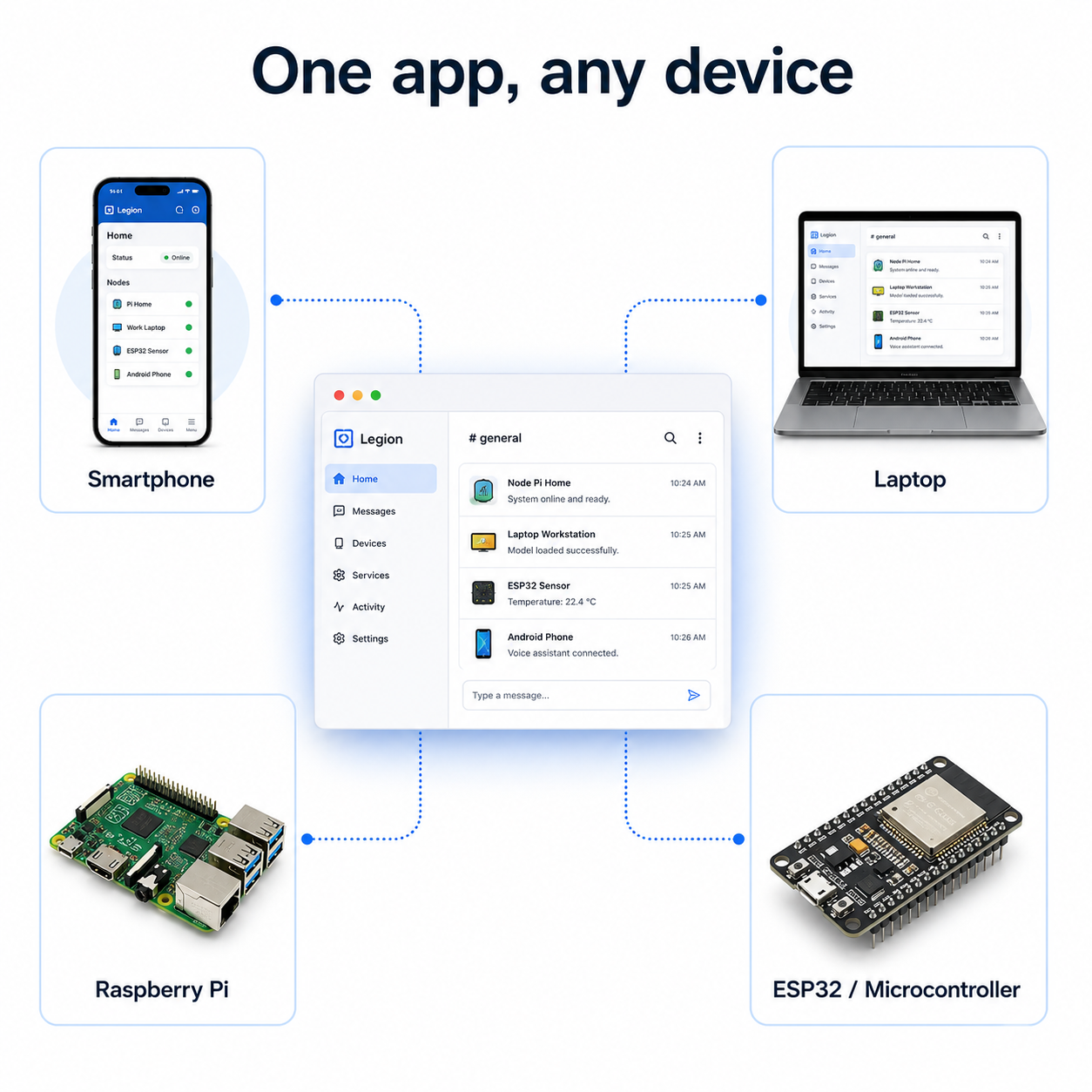
- It's portable. The same app runs on your phone, your laptop, a Raspberry Pi, or even a microcontroller — as long as the device has the right rendering tier.
Writing your first app
Apps are written in TypeScript. If you've ever written JavaScript or TypeScript (for a website or a Node.js server), you already know most of what you need.
Here's what a simple chat app looks like:
// The app declares what it needs
if (legion.ai?.llm) {
    // Great — this node can do AI
} else {
    // Try to find an AI node in the network
    const remoteLlm = await legion.net.findCapability('ai.llm');
}

// Render the UI
function render() {
    legion.ui.render(`
        <div class="chat">
            <div id="messages"></div>
            <input id="input" type="text" placeholder="Type a message...">
            <button id="send">Send</button>
        </div>
    `);
}

// Handle user input
legion.ui.onEvent(async (event) => {
    if (event.type === 'click' && event.elementId === 'send') {
        const reply = await legion.ai.llm.chat({
            message: event.value
        });
        // Update the display with the reply
        state.messages.push(reply.content);
        render();
    }
});

render();
That's it. No server setup. No API keys. No authentication. The app just works — or it gracefully handles what it can't do (if legion.ai?.llm is undefined, the app knows AI isn't available and can adapt).
The legion global object
When an app starts, Legion gives it a legion object — a gateway to everything the current node and its cohort can do:
| Property | What it gives you |
|---|---|
legion.node.id | This node's identity |
legion.node.cohort | The group's ID |
legion.ai.llm | AI language model (if available) |
legion.ai.stt | Speech-to-text |
legion.ai.tts | Text-to-speech |
legion.audio.in | Microphone input |
legion.audio.out | Speaker output |
legion.storage.kv | Key-value storage |
legion.display.gui | UI rendering |
legion.ui.render() | Update the screen |
legion.ui.onEvent() | Listen for user interactions |
legion.vm.handoff() | Transfer app state to another device |
If a capability isn't available (because this node doesn't have it, or it's not allowed by permissions), the property is simply undefined. This is the same pattern browsers use to check if features like navigator.geolocation are available.
Building and signing
Apps go through a simple pipeline:
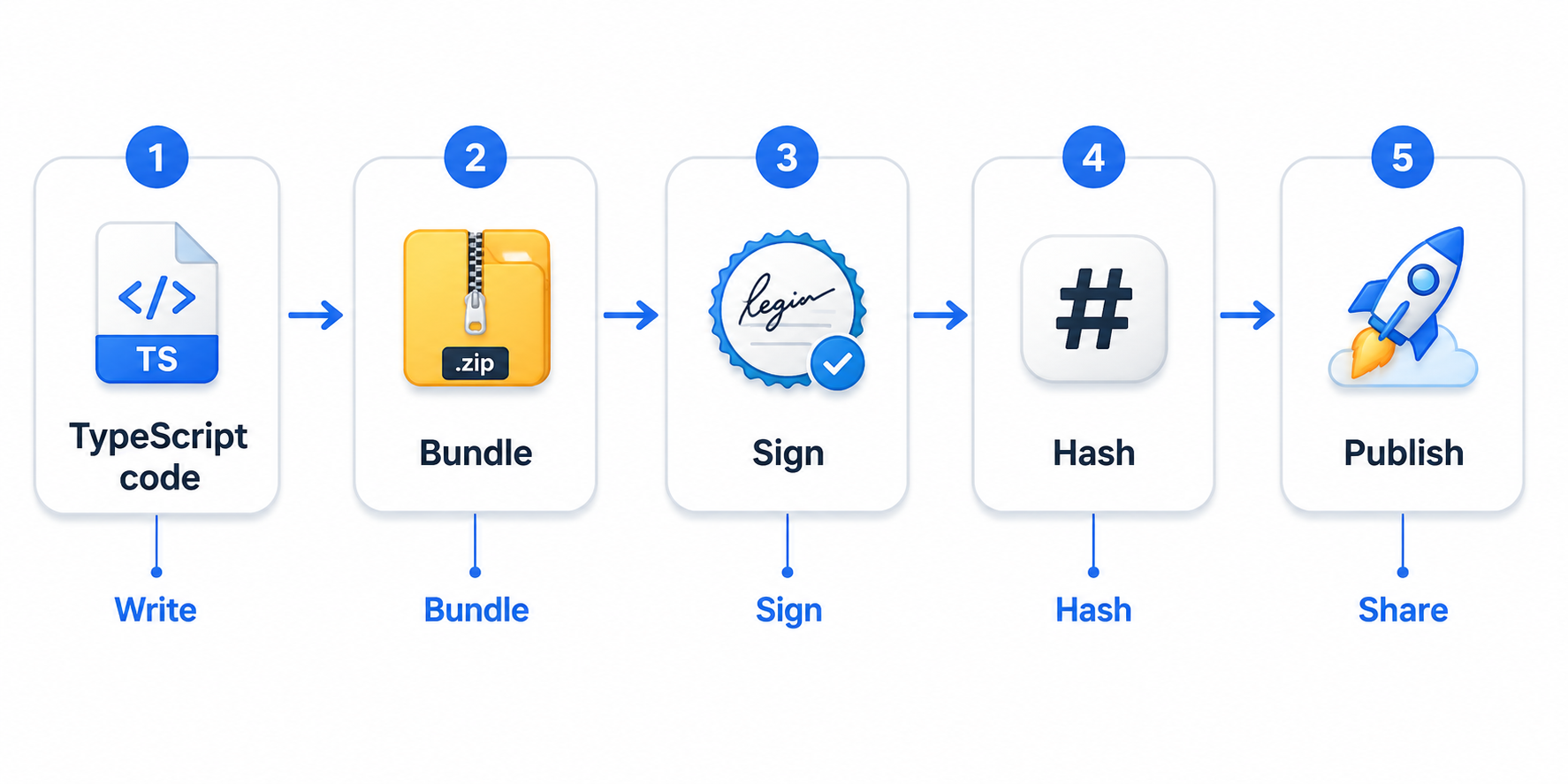
- Write your TypeScript code in a project folder.
- Bundle it into a single file using
esbuild(a fast JavaScript bundler). - Sign it with your developer DID (your identity). This proves who created the app.
- Hash the bundle. The SHA-256 hash becomes the app's permanent ID (called the content CID).
- Publish it to any Legion node. The app is now available to anyone who knows its CID.
Content-addressed distribution
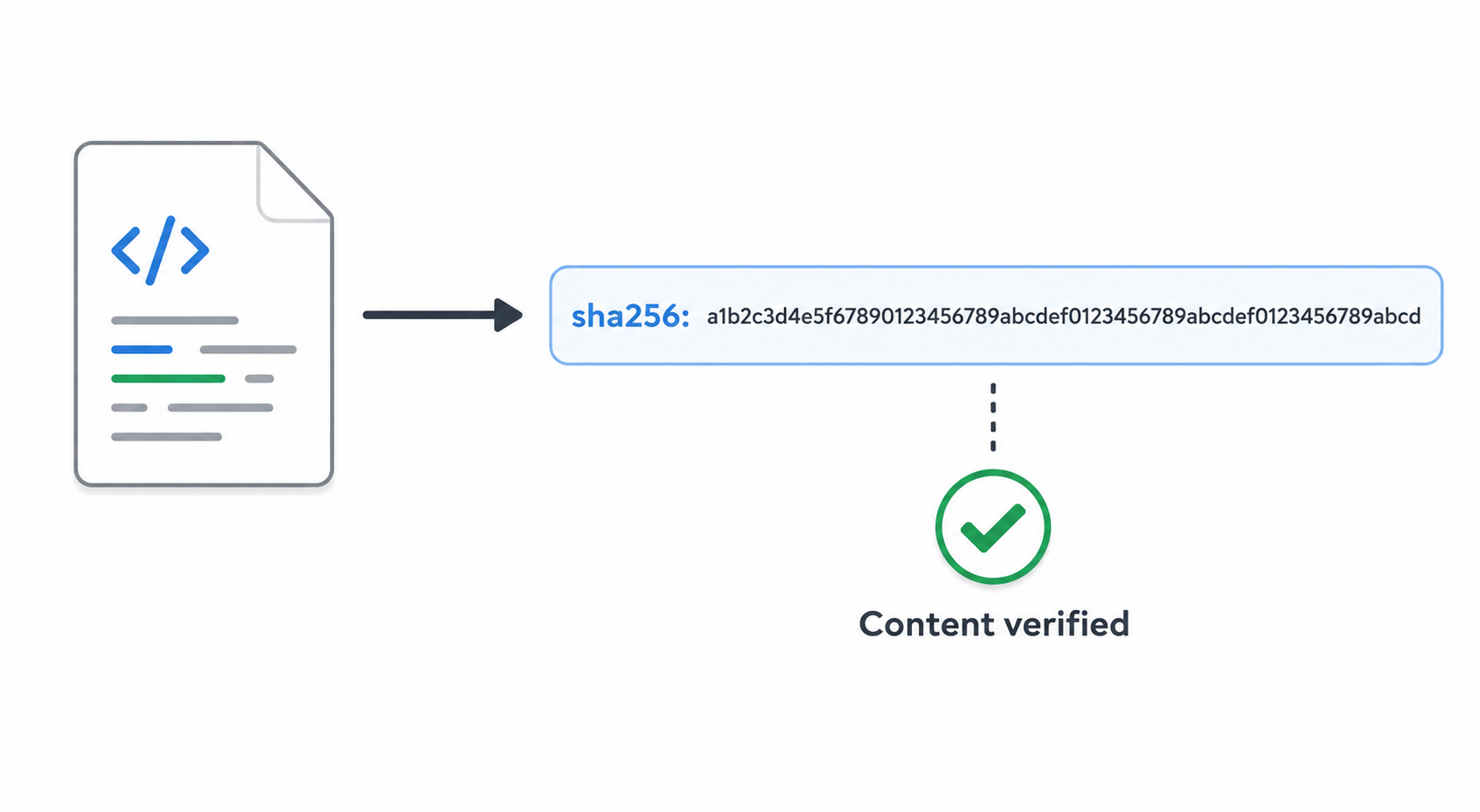
Every Legion app is identified by a content CID — a hash of its bundled code:
sha256:a1b2c3d4e5f6...This means:
- The same app always has the same CID (changing even one character changes the hash).
- Different apps always have different CIDs.
- You don't need to know where an app is stored — you just need its CID, and the network will find it.
This is the same concept that IPFS uses for file sharing, or that npm uses for package verification. It's a simple but powerful idea: the content is its own address.
Finding and installing apps
Apps are shared peer-to-peer. You can get an app from:
- A friend (they share the app ID and CID with you)
- A QR code (scanning it gives you the app ID and CID)
- A URL like
legion://app/com.example.chat/sha256:a1b2c3d4 - A provider directory (when one exists)
When you “install” an app:
- Legion checks if you already have it cached (by content CID).
- If not, it fetches the app from any node that has it.
- It verifies the hash matches the expected CID.
- It shows you a permission prompt (see below).
- It runs the app.
Permissions — you decide what apps can do
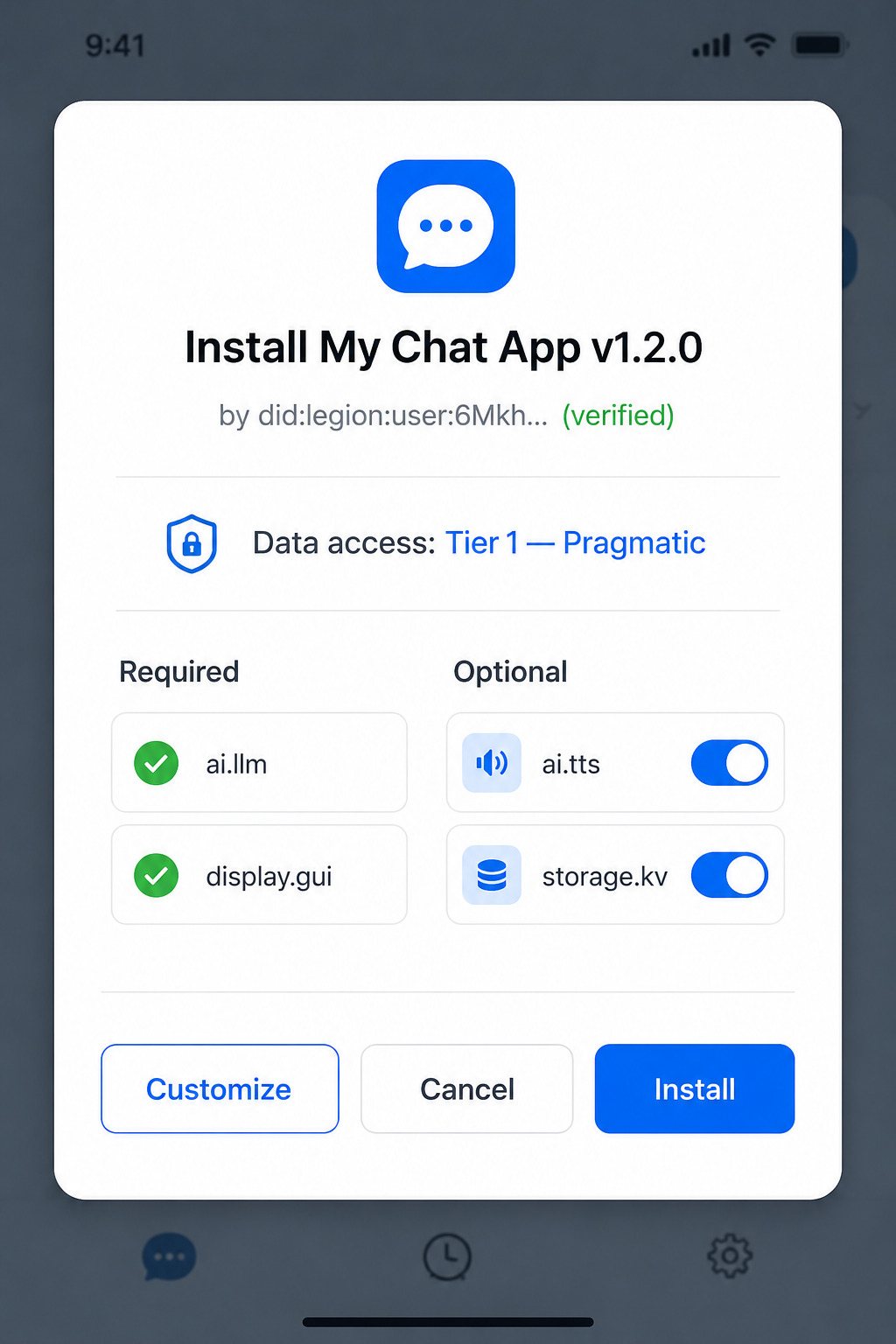
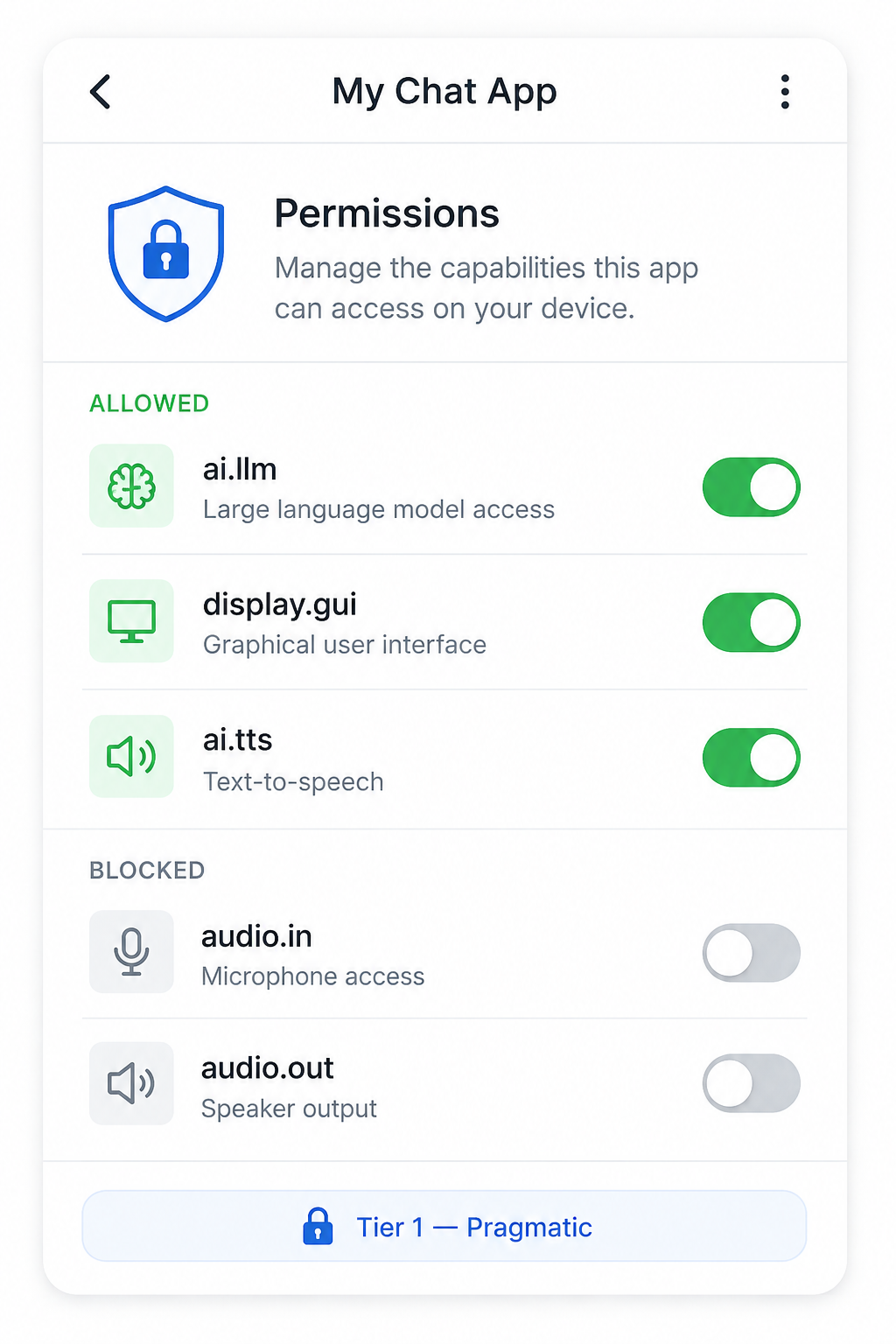
Before an app runs, Legion shows you a permission screen:
- Required capabilities (cannot be deselected): things the app needs to function. If you decline, the app won't install.
- Optional capabilities (you can toggle): things the app could use but doesn't strictly need. You decide.
Some examples of optional capabilities an app might request:
audio.in— access your microphonestorage.kv— save your preferencesai.tts— speak responses out loud
The data tier of the app is also set at install time. An app installed at Tier 2 (Pragmatic / Personal) can only access Tier 2 and lower (more public) data. It can never access Tier 1 (Sovereign / Private). You cannot raise the tier later without reinstalling the app.
Updating apps
When a developer releases a new version of an app:
- The new version gets a new content CID (because the code changed).
- The app listing is updated with the new CID.
- When the epoch changes (the network state updates), your device checks: “Do I have the latest version?”
- If there's a newer version, your device fetches it in the background.
- On next launch, you see a prompt showing only the new permissions the update needs.
Running apps are never interrupted by updates. The update happens behind the scenes.
The @legion/sdk package
To make app development easy, Legion provides an npm package called @legion/sdk:
npm install --save-dev @legion/sdkThis package gives you:
- Type definitions for the
legionglobal object (so TypeScript can check your code) - An esbuild preset (pre-configured bundler settings for Legion apps)
- A CLI tool (
legion-sdk) for signing and publishing apps
It's a thin layer on top of standard web development tooling — no special runtime, no framework requirements.
App handoff — seamless device switching
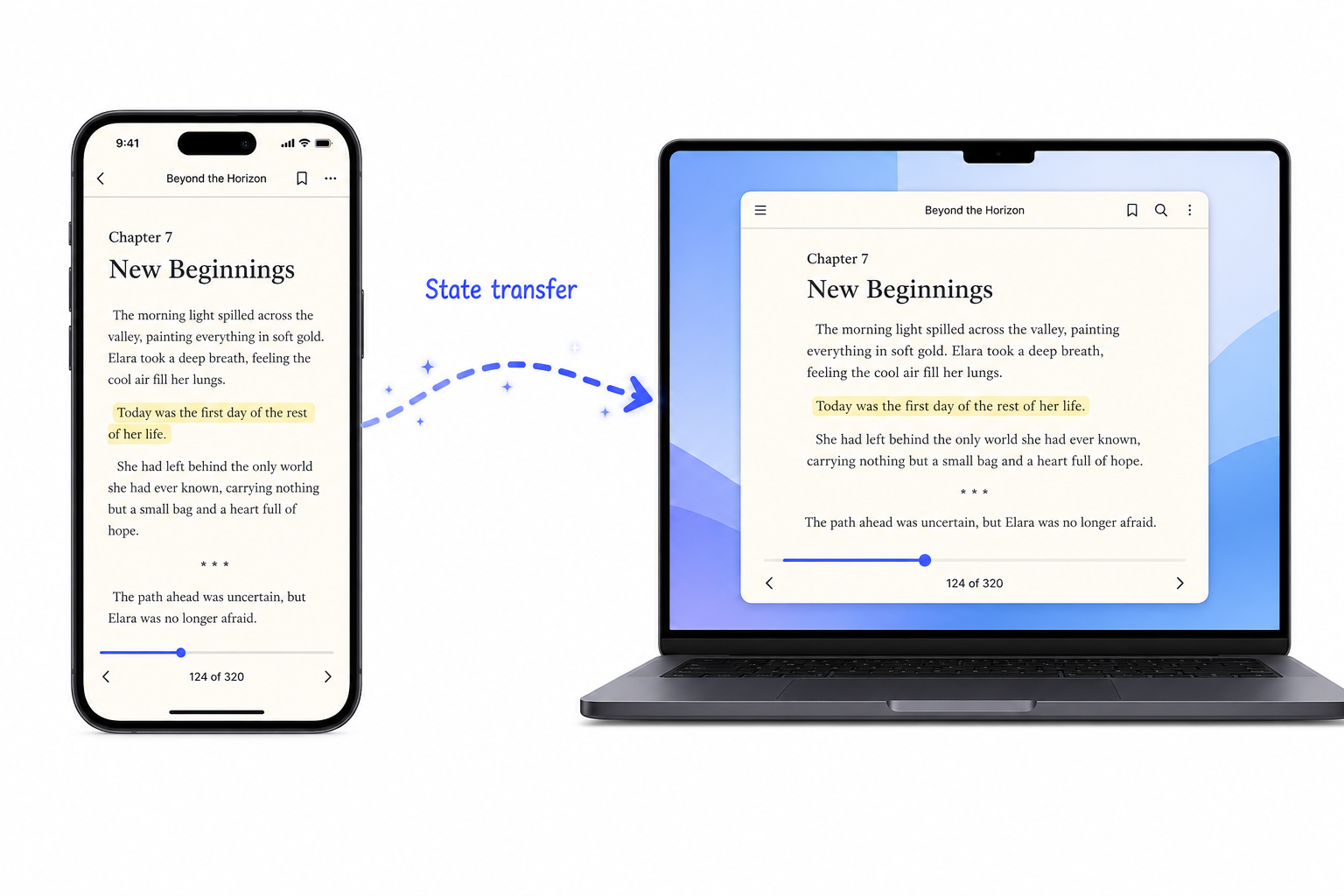
Legion apps can transfer their state between devices. If you're reading a book on your phone and you want to continue on your laptop:
- Tap “handoff” in the app.
- The app saves its current state (page number, scroll position, bookmarks).
- The state is sent to the destination device.
- The app resumes on the laptop at the exact same point.
This works because the app state is serialized (saved to bytes) and sent over the Legion network — not stored on any single device.
Untrusted apps
Not all apps are from trusted developers. Legion handles this by putting untrusted apps in a sandbox:
| Trust level | What the app can do |
|---|---|
| Signed by a cohort member | Full access (all capabilities, all tiers) |
| Signed by a known contact | Tier 2 and below only |
| Unsigned or unknown | Sandboxed — display only, no network, no storage |
This means anyone can publish an app, but untrusted apps are limited in what they can access. It's like the difference between an app from the official app store and a random file you downloaded.
What apps are NOT
- Not browser websites. Apps run inside the Legion runtime, not in a browser tab.
- Not native mobile apps. They don't use Swift, Kotlin, or any platform-specific code. They use TypeScript + HTML/CSS.
- Not installed from an app store. Apps are shared peer-to-peer. There is no central app store (though a directory may exist in the future).
- Not able to access the device directly. Apps only get access to capabilities explicitly granted by the user.
Summary
| Aspect | How it works |
|---|---|
| Language | TypeScript / JavaScript |
| UI | HTML/CSS (rendered by the display tier) |
| Distribution | Peer-to-peer, identified by content hash |
| Permissions | User-approved at install time |
| Data tier | Fixed at install, can't be raised silently |
| Updates | Background fetch + permission diff prompt |
| Handoff | State transfer between devices |
| Security | Signing + sandboxing + tier isolation |
What comes next
Now that you know how to build apps, you might want to know more about how the screen actually works — the different rendering tiers, how events are captured, and how the visual layer fits into the bigger picture. Read The screen.