
Chapter 05
How nodes talk
Discovery, seed nodes, gossip, bridges and the messaging that connects devices across the world.
Imagine you walk into a room full of people who all speak the same language. How do you know who's already in the room and who just walked in?
In Legion, nodes do exactly this — they broadcast “I'm here!” messages, listen for others doing the same, and share introductions. This happens in three layers.
Layer 1: The shout — multicast (local network)
When a Legion node starts on your home network, it sends out a periodic “hello” message to everyone on the same network. This is called multicast — it's like shouting in a room so everyone hears you at once.
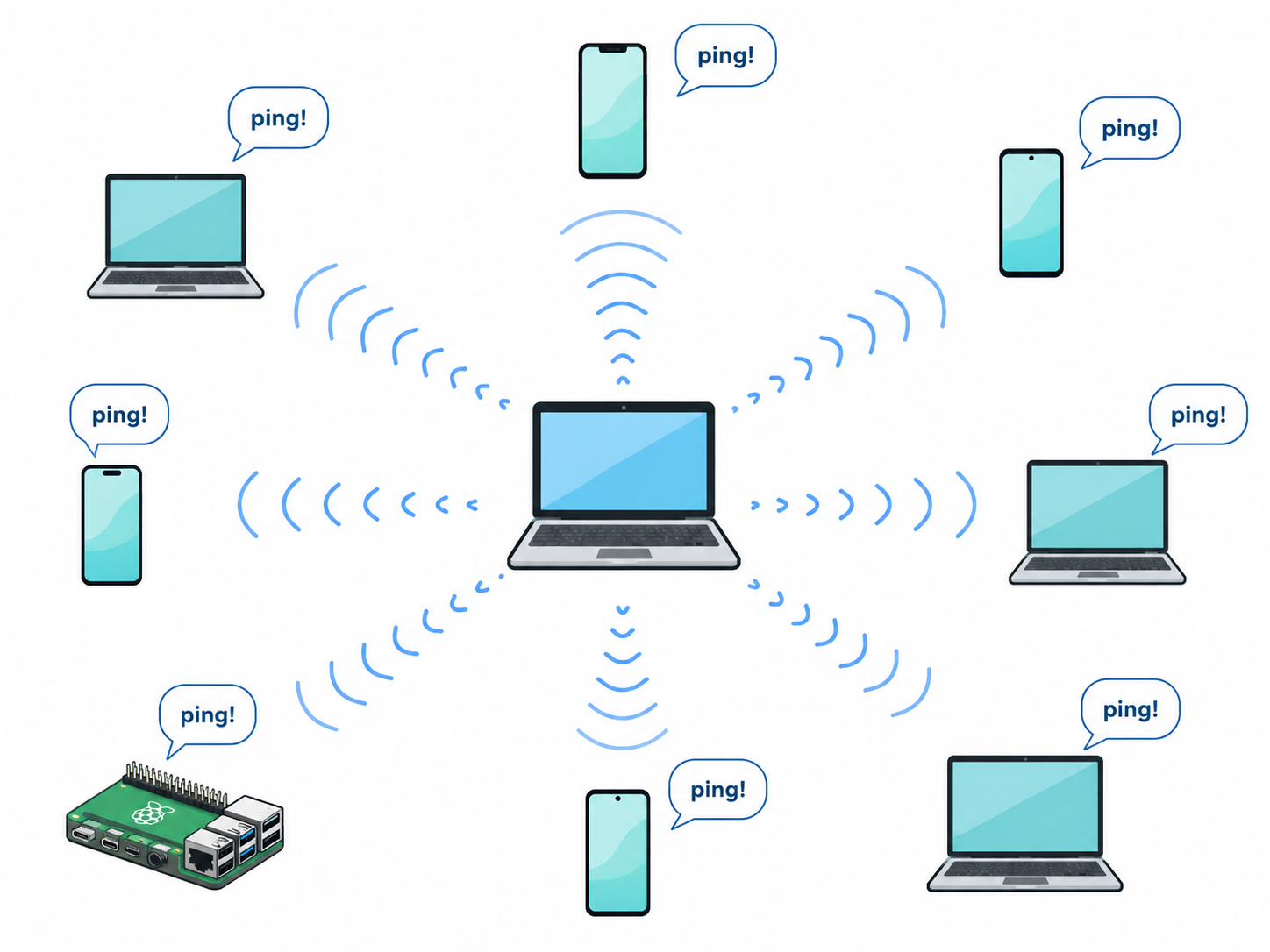
This works great when all devices are on the same Wi-Fi or wired network. It's fast, automatic, and requires zero configuration. You turn on a new device and it's instantly discovered.
But this has a limit: it only works on the local network. If your device is at home and your friend's device is at their house, shouting won't reach them. That's where layers 2 and 3 come in.
Layer 2: The phone book — seed nodes
When devices can't reach each other through multicast (because they're on different networks), they use seed nodes.
A seed node is like a phone book. You give your device a list of seed node addresses (typically just one or two), and on startup, your device contacts them:
“Hi, I'm a new Legion node. Who else is in the cohort?”
The seed node responds: “Here's a list of everyone else I know.”
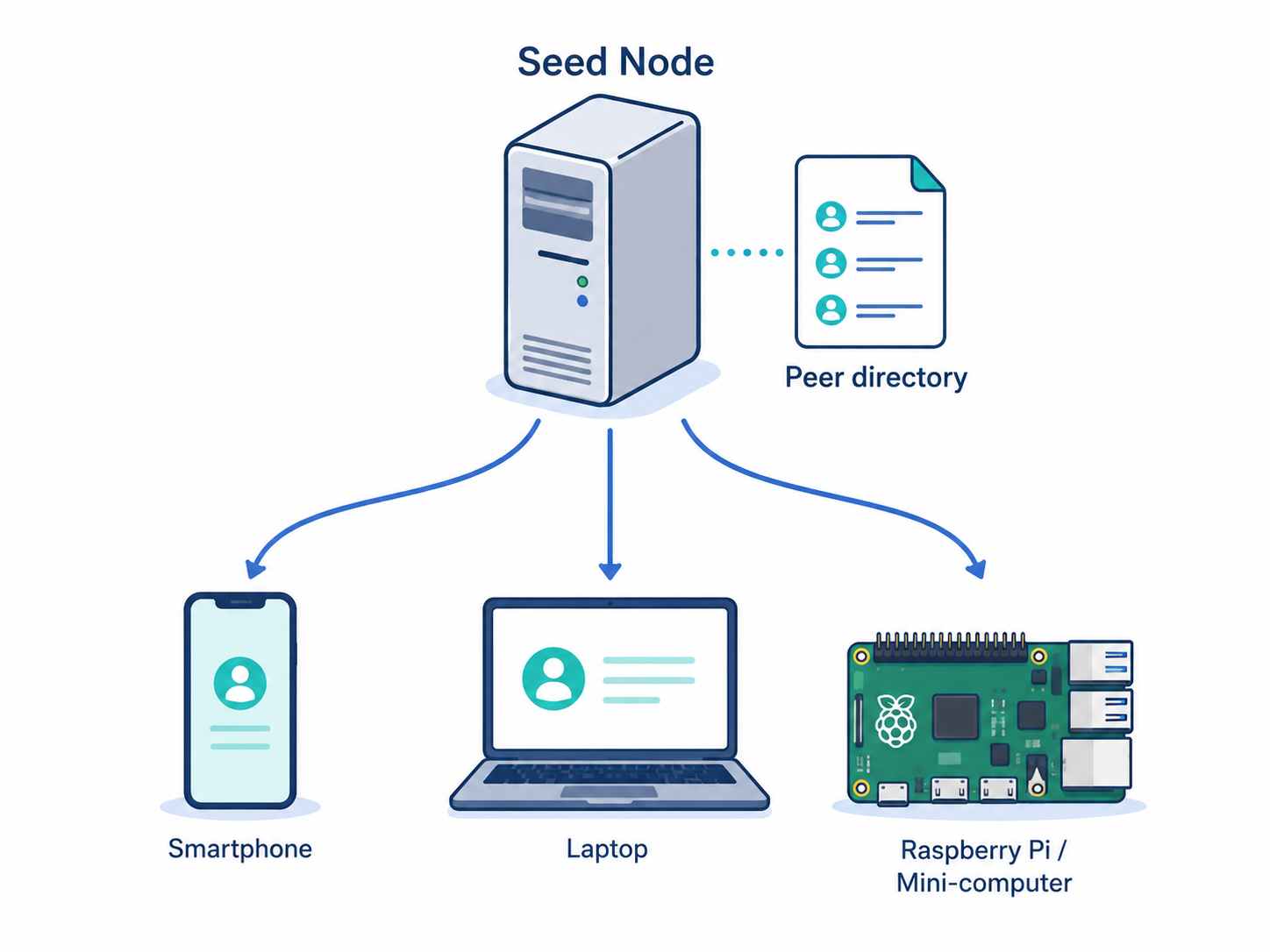
Seed nodes are typically configured once in a settings file and never need to be touched again. They're the bootstrap mechanism — the first step in finding your group.
Layer 3: The gossip — peer exchange
Here's the clever part. Once your device finds even one other node through multicast or seed nodes, that node shares its own contact list with you. And then you share yours back.
It's like meeting someone at a party and them introducing you to their friends. Within a few exchanges, everyone knows everyone. This is called gossip — not because it's unreliable, but because information spreads the way gossip does at a social event: person to person, quickly and organically.
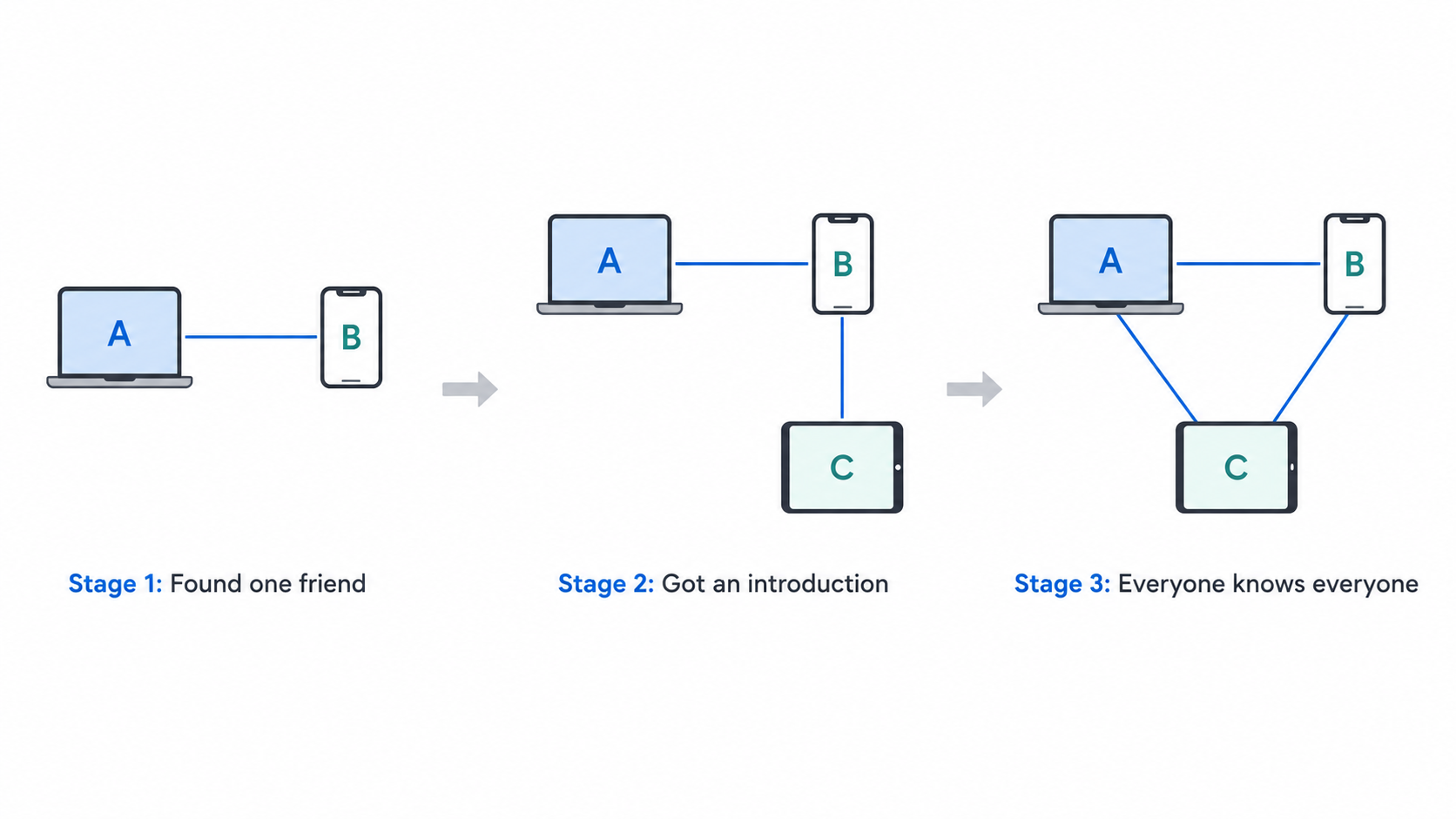
This means you only need one seed node or one local discovery to find your entire group. Everything else fills itself in automatically.
The bridge — crossing the internet
So far we've talked about how devices find each other. But what about actually connecting across the internet — from a hotel in another country to your home server?
This is the job of the bridge node — a special node that acts as a relay between devices that can't reach each other directly.
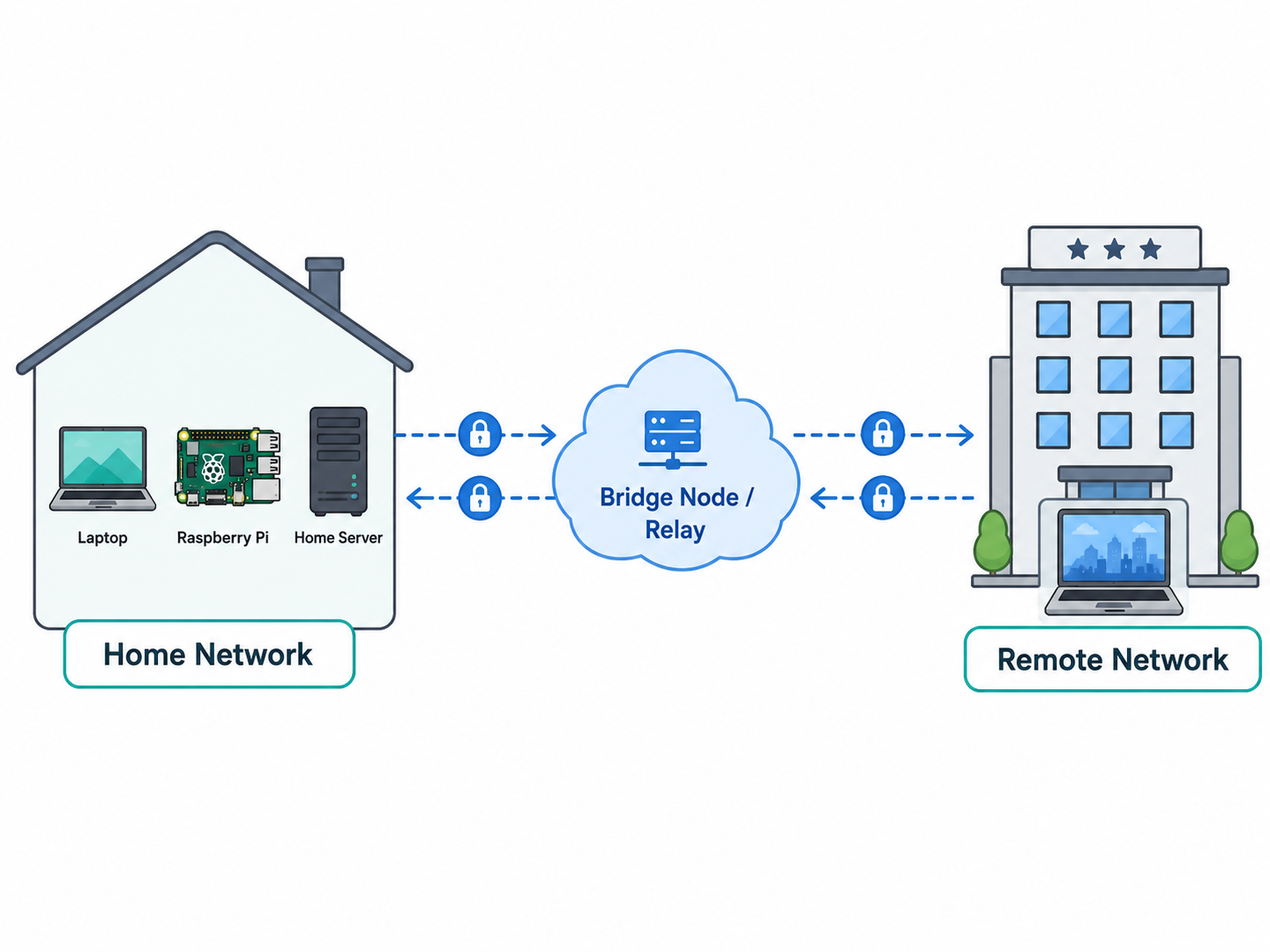
Here's how it works:
- Your home server registers itself with a public bridge when it starts
- When your laptop connects from the hotel, it asks the bridge: “Who should I talk to?”
- The bridge gives it an address and an encrypted tunnel is established
- Your laptop can now talk to your home server as if it were on the same network
No VPN setup. No port forwarding. No manual firewall configuration. Legion handles all of this automatically.
Why not just use a public bridge?
Good question. Legion supports two scenarios:
- Public bridges operated by providers (to be listed on
legios.cloud). These are the easiest option — you connect and go. - Self-hosted bridges. If you want full control, you can run your own bridge on your own server.
Anyone can operate a bridge. Legion doesn't run any bridges itself — it's a public utility, like DNS.
How the conversation actually flows
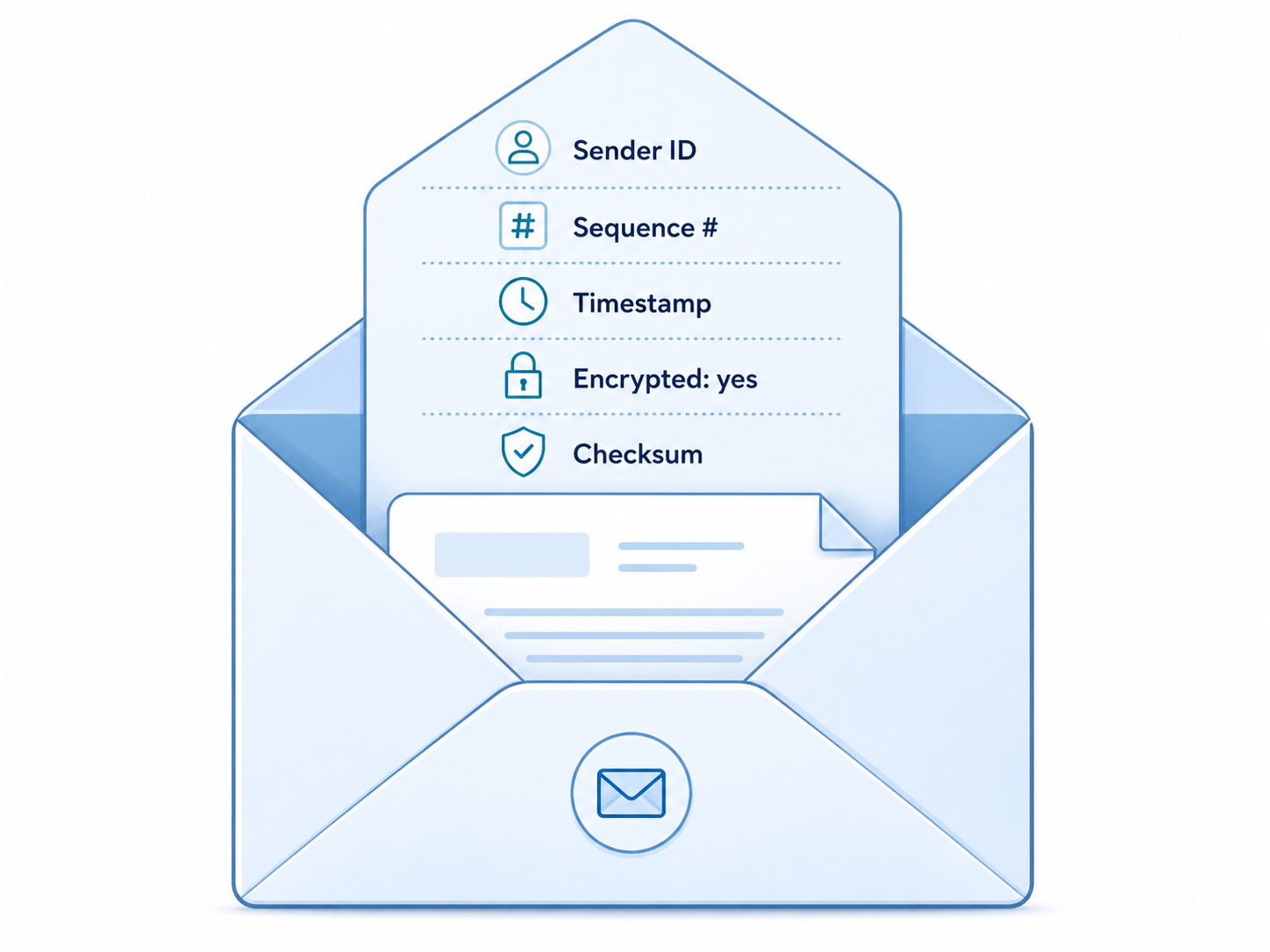
When two nodes talk, they use a messaging protocol called LNMP (Legion Node Message Protocol). Think of it like a postal service for devices:
- Every message has an envelope (the LNMP header) with:
- Who sent it
- A sequence number (to keep track of order)
- A timestamp
- Whether it's encrypted
- A checksum (to detect corruption)
- Inside the envelope is the actual message, formatted in a standard way (wire format) that both sender and receiver understand, even if they were built at different times.
- Messages are either unicast (sent to one specific device) or multicast (sent to all devices on the local network).
Audio streams vs regular messages
Most Legion communication is like sending emails — discrete messages with a clear start and end. But audio is different. It's a continuous stream, like a phone call.
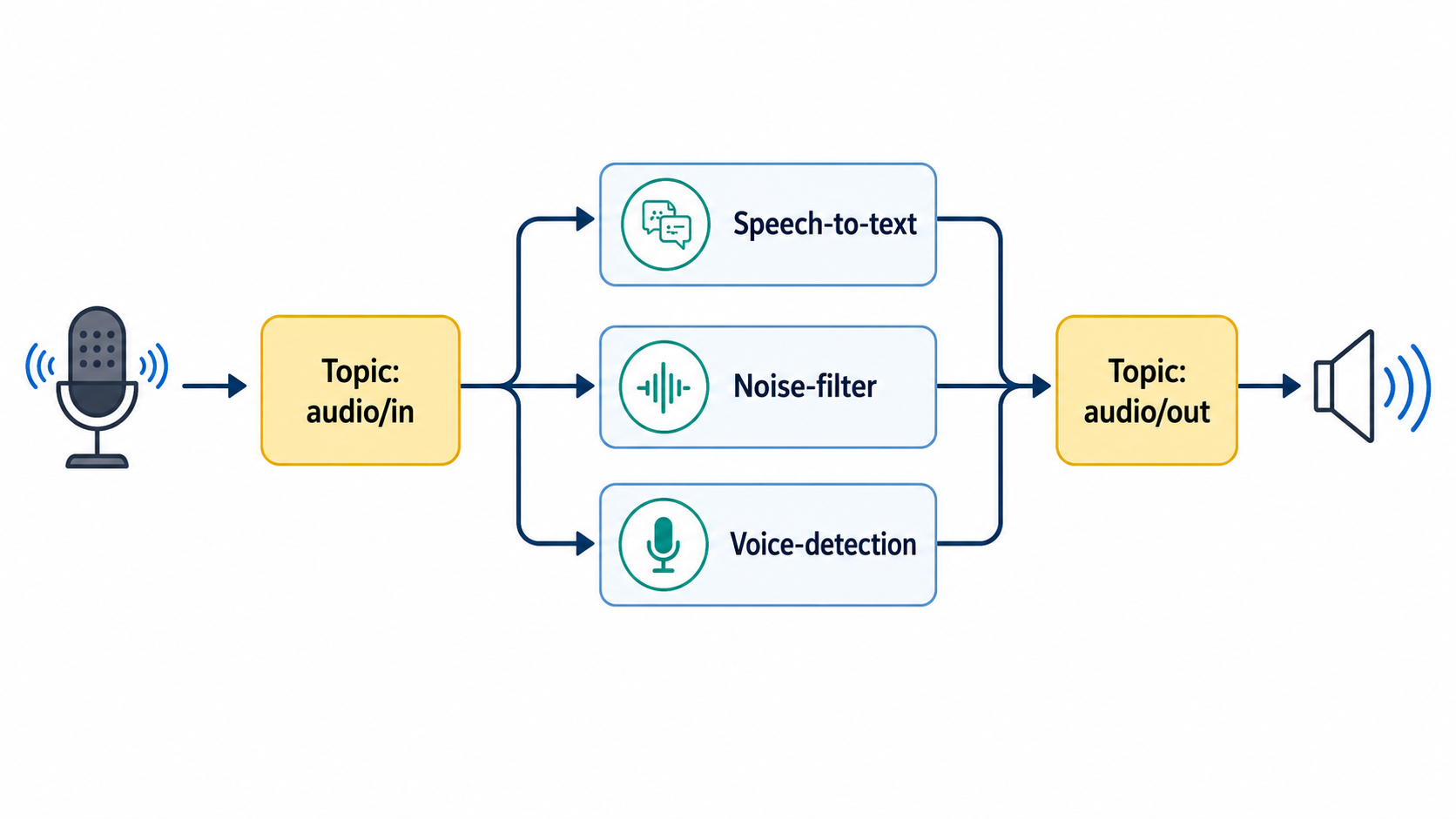
For audio, Legion doesn't use point-to-point connections. Instead, it uses a topic system — like a bulletin board:
- The microphone node publishes audio to a topic:
legion://audio/in/<device>/utterance - The speech-to-text node subscribes to that topic and processes the audio
- The text-to-speech node publishes the result to another topic
- The speaker node subscribes and plays it
This means you can insert new processing steps (noise filtering, voice detection, etc.) without changing any existing code. It's like adding a new station in a relay chain.
What happens when things go wrong
Networks are unreliable. Devices crash. Wi-Fi drops. Legion handles this in several ways:
- Peers expire automatically. If a node doesn't send a “hello” for 30 seconds, it's marked as offline. Other nodes stop trying to talk to it.
- Timeouts are built in. Every message has a timeout. If no response comes back, the sender tries again or picks a different node.
- The transport layer recovers. If a connection drops, the bridge can re-establish it. The application layer doesn't even need to know.
Summary
| Layer | What it does | Where it works |
|---|---|---|
| Multicast | “I'm here!” shouts | Same local network only |
| Seed nodes | Phone book for bootstrapping | Internet (anywhere) |
| Gossip | Peer introductions | Propagates across all layers |
| Bridge | Relay for internet connections | Between different networks |
Together, these layers mean your devices always find each other — whether they're on the same Wi-Fi or on opposite sides of the world.
What comes next
Now that you know how devices find and talk to each other, the next question is: how do they know who they're talking to? Read Who is who? to learn about identity, DIDs, and certificates.