
Chapter 04
The building blocks
Nodes, capabilities, cohorts, modules and the plugin system — the pieces everything is made of.
Think of Legion like a sports team. Not every player does the same thing. Some players specialize. Some players coordinate. Some players just present the results to the fans. Legion works the same way.
Three types of nodes
A node is just a Legion program running on a device. Every node looks the same from the outside (it has an identity, it joins a group, it advertises what it can do), but inside, nodes have different personalities based on what capabilities they load.
Specialist nodes — the experts
A specialist node does one or two things really well.
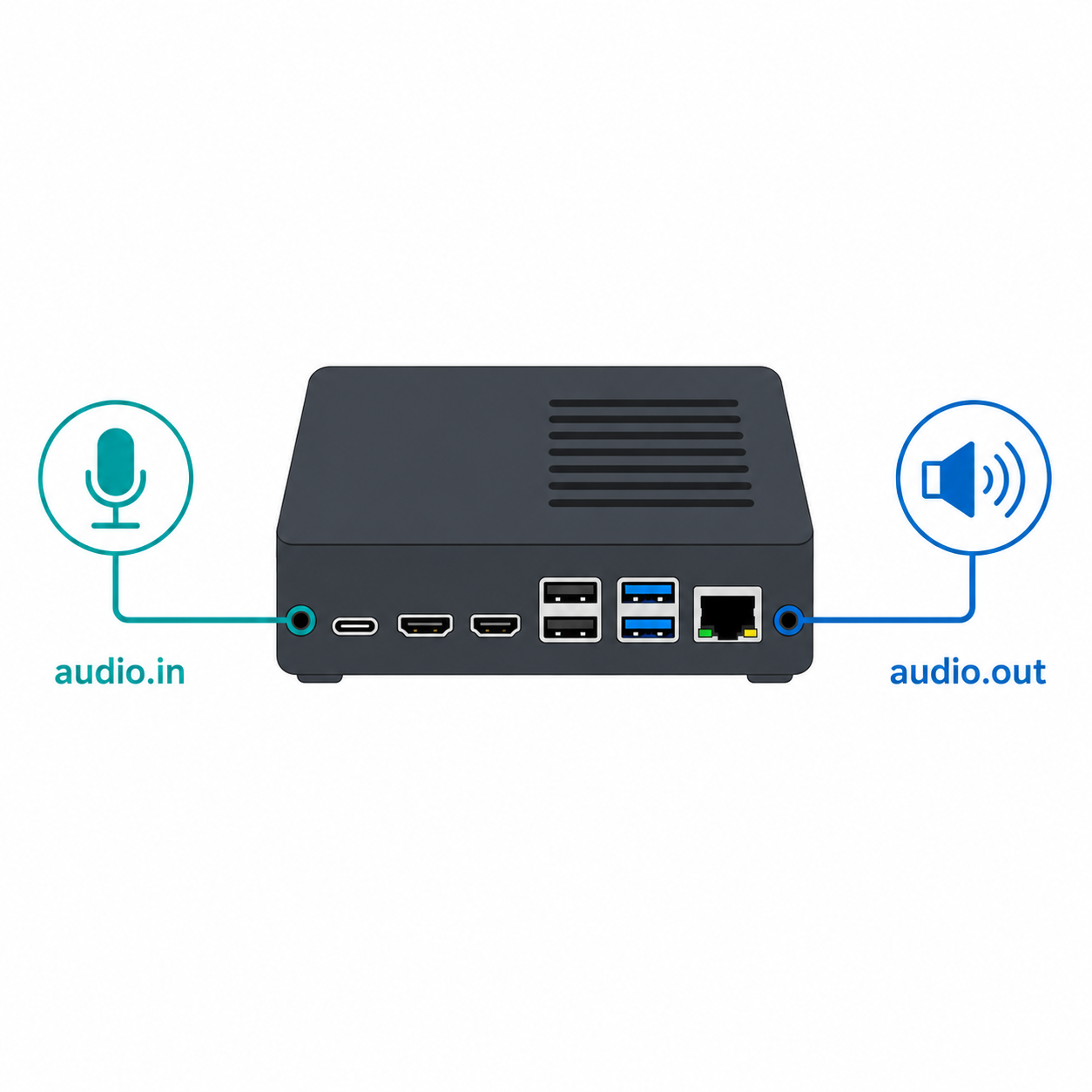
Example: A small device dedicated only to handling audio — capturing microphone input and playing back speaker output. It's small, simple, and can run on very low-power hardware. You only install the software it needs. Nothing more.
Orchestrator nodes — the coordinators
An orchestrator node runs the main logic. It connects different specialists together to form complete workflows.
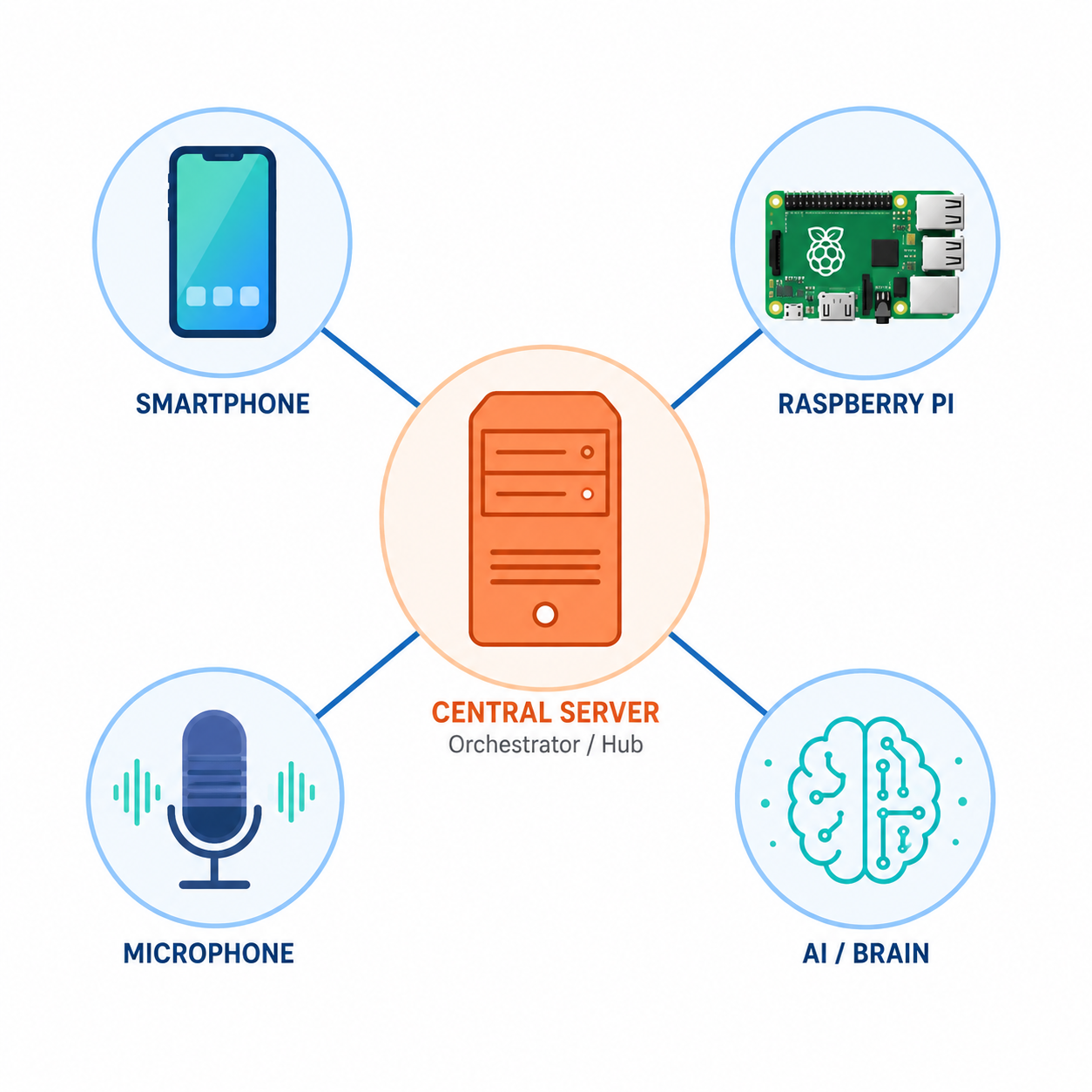
Example: An AI assistant orchestrator. It doesn't do speech processing or text generation itself. Instead, it knows: “When the user speaks, send this to the speech-to-text module, then send the result to the language model, then send that to the text-to-speech module.” It's like a conductor leading an orchestra — it doesn't play the instruments, it makes sure they play together.
Interface nodes — the windows
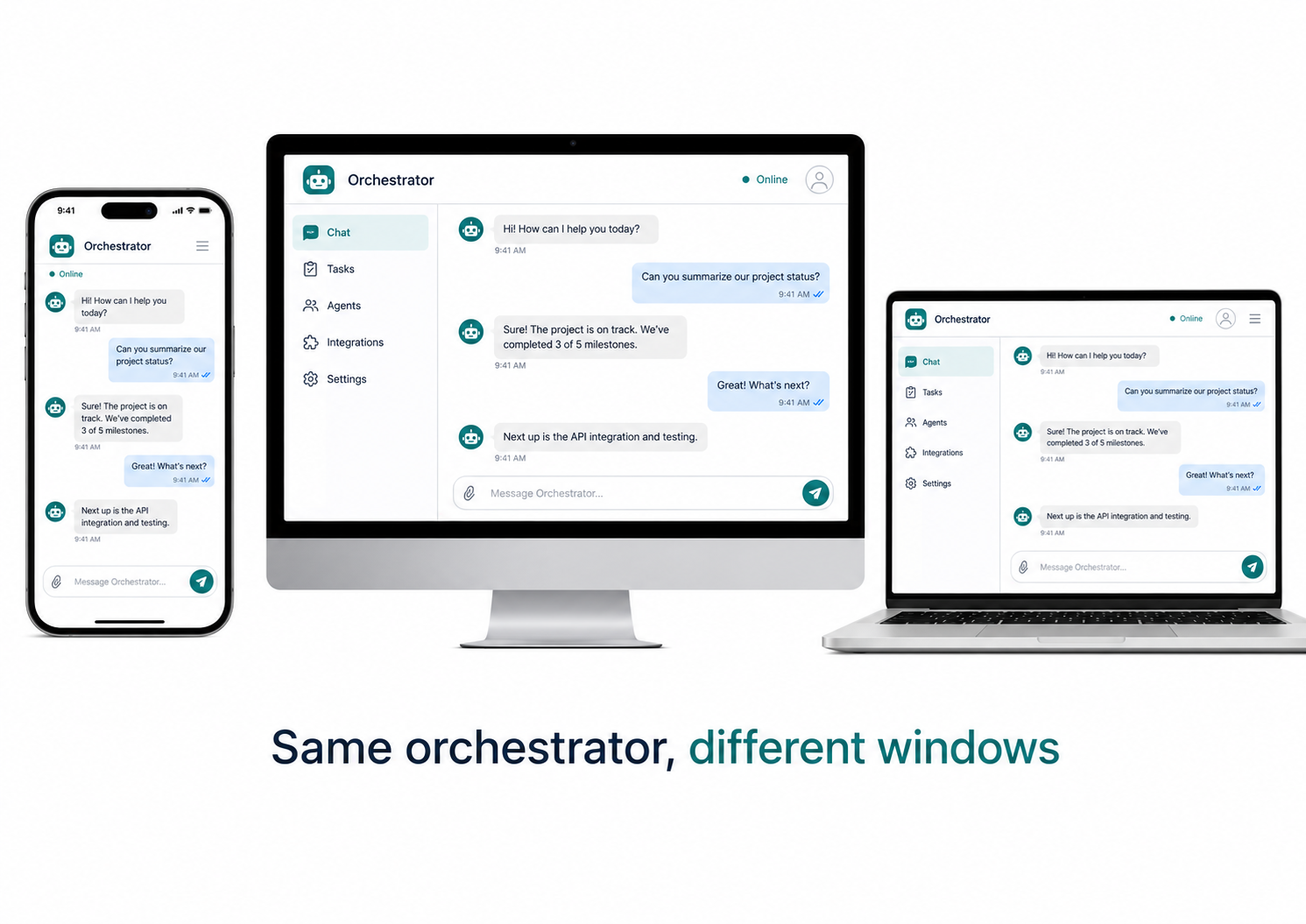
An interface is what you, the human, interact with. It could be:
- A command-line tool on your computer
- A phone app
- A desktop application
- A web page
The interface node does NOT implement the actual intelligence. It collects your input, starts the orchestrator process, and displays results. If you switch from your smartphone to your laptop, the orchestrator doesn't change — only the window through which you see it.
The key rule
This is one of the most important ideas in Legion. Your AI assistant isn't “on your smartphone” or “on your laptop.” It lives on the orchestrator node, and all your devices just connect to it. If you lose your smartphone, your assistant keeps working on your laptop. If you add a new device, your assistant is already there waiting.
Capabilities — the building blocks of skills
A capability is a specific skill that a node can provide. Think of them like app permissions or plugin features:
| Capability | What it does |
|---|---|
audio.in | Captures microphone input |
audio.out | Plays audio through speakers |
ai.stt | Converts speech to text (speech-to-text) |
ai.llm | Runs a language model (AI chat) |
ai.tts | Converts text to speech (text-to-speech) |
storage.kv | Stores and retrieves key-value data |
identity.auth | Handles authentication and authorization |
display.gui | Renders a graphical user interface |
Every node advertises which capabilities it provides. When another node needs something — say, speech-to-text — it looks through the network for a node that has ai.stt.
How a capability is found (delegation)
When a node needs a capability, it doesn't just randomly pick one. Legion has a smart selection process:
- Search: The node asks the network: “Is anyone offering
ai.stt?” - Focus check: If multiple nodes offer it, Legion checks: which one is the user currently interacting with? (For example, which phone's microphone should capture audio?)
- Trust check: Is the offering node trusted? (We'll cover trust in the next section.)
- Delegation: The request is sent to the chosen node, which performs the task and returns the result.
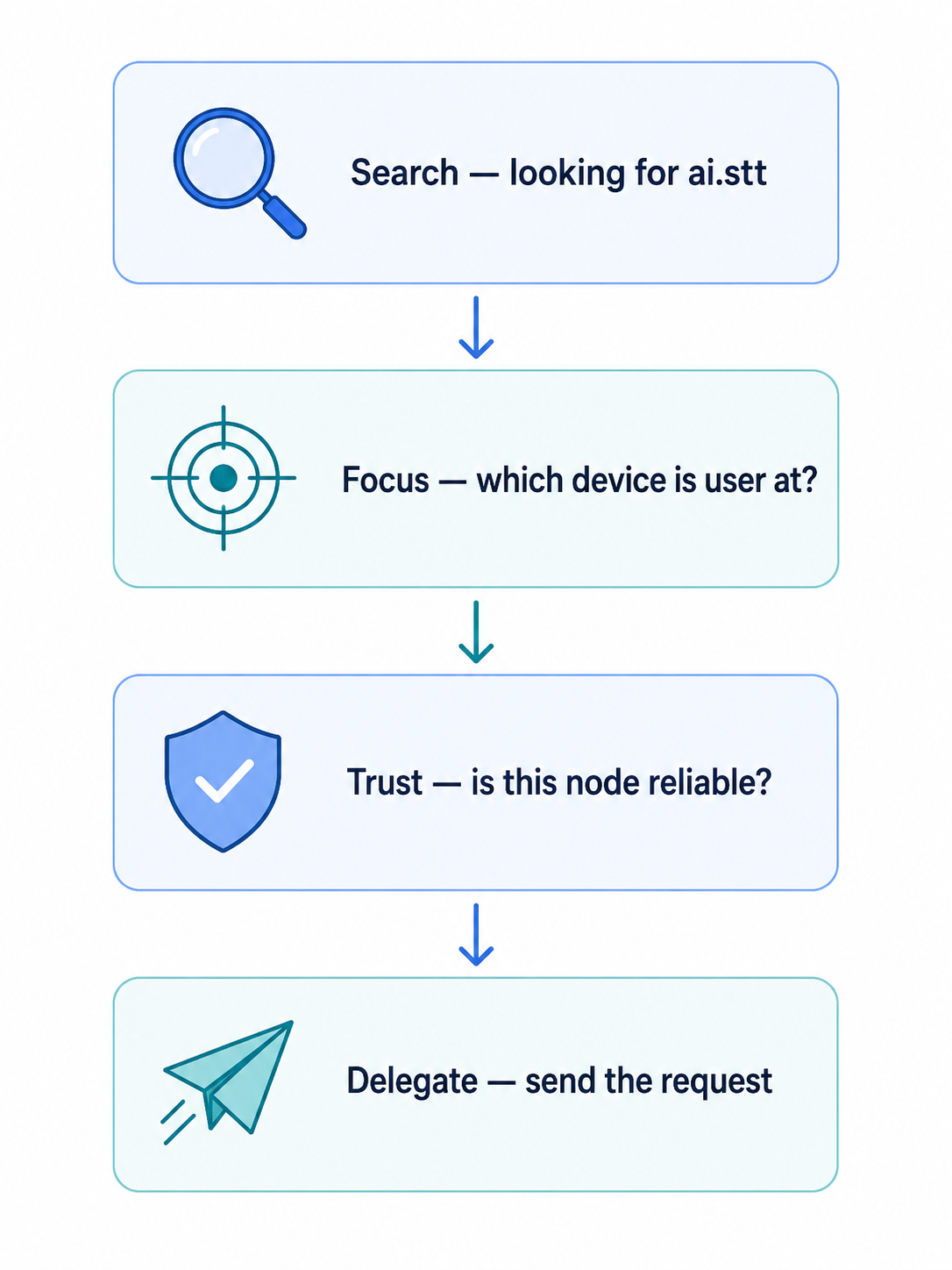
This whole process is called delegation. You can think of it as “hiring” another node to do a task for you.
Modules — how capabilities are packaged
A module is the software package that provides one or more capabilities. Think of a module like an app on your phone — it's a self-contained piece of code that does one job.
Modules can be:
- Built-in: Comes with Legion (like the basic networking code)
- Loadable: A separate file that gets loaded on demand (like speech-to-text)
When a node starts up, it loads all its modules and announces what capabilities they provide. The module system is how Legion stays modular — you only install what you need, and you can swap modules in and out without touching the rest of the system.
The cohort — your personal network
All the nodes that work together form a cohort. This is your personal network — the group of devices that you own and control.
Your cohort is identified by a cohort ID, which is derived from your identity (more on that in the next section). All nodes in the same cohort share the same data, the same conversation history, and the same set of available capabilities.
Think of a cohort like a WhatsApp group, but instead of people chatting, it's devices cooperating to serve their owner.
The plugin system — extending what nodes can do
Nodes can extend their capabilities through plugins — small pieces of code that follow a standard interface. Plugins are registered with the node and can be discovered, called, and managed dynamically.
Each plugin declares:
- What methods it offers (like “read this file” or “run this calculation”)
- What tier of data access it needs (remember the four privacy layers?)
- Whether other plugins can chain their output into their input
This is Legion's version of an “app store” for the node runtime itself — not for end users, but for the system to extend its own capabilities.
Summary: the hierarchy
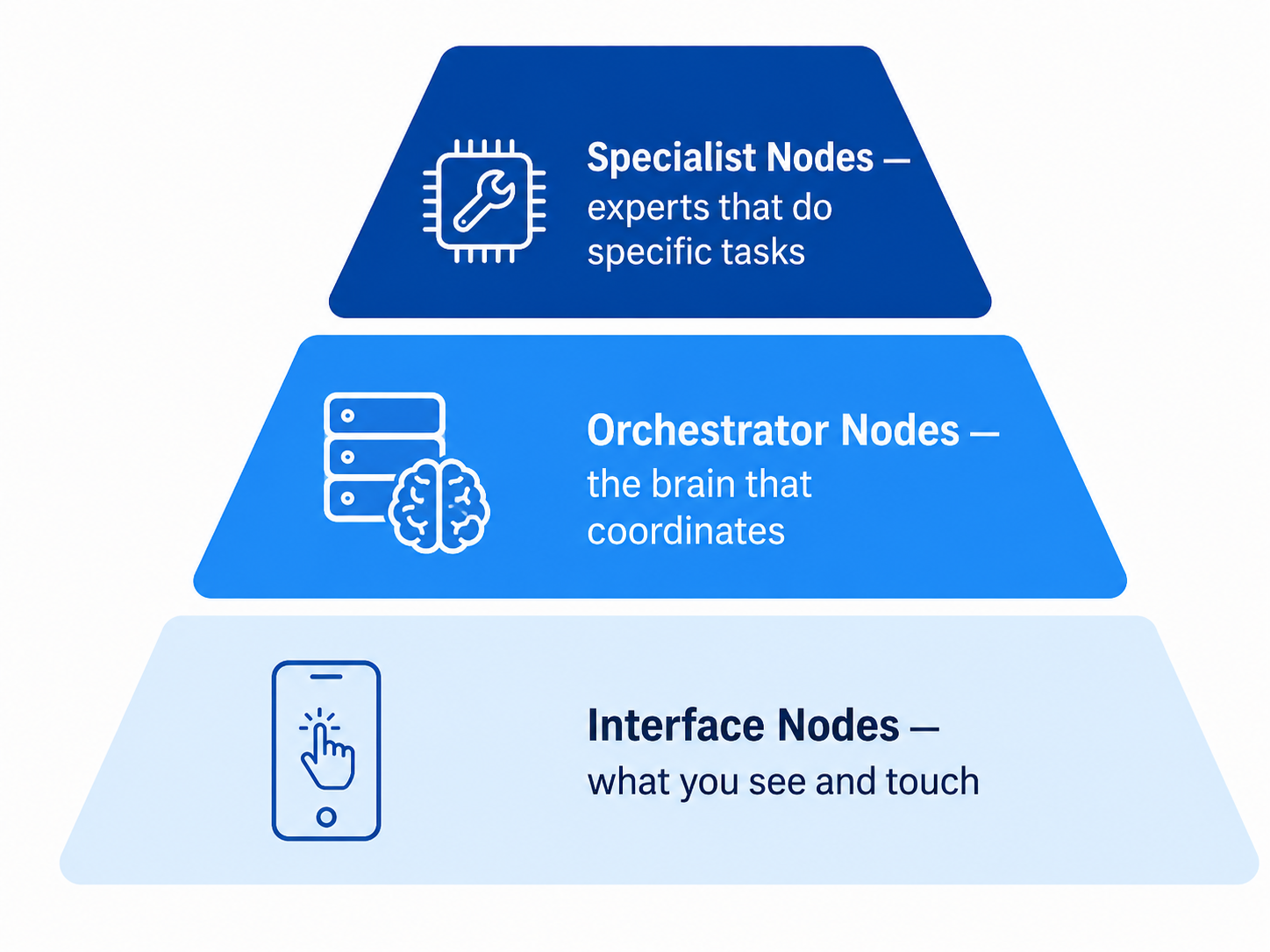
- Interface nodes — your window into Legion (phone, desktop, CLI)
- Orchestrator nodes — the coordinators that connect everything
- Specialist nodes — the experts that do specific jobs
All of them are peers. All of them belong to the same cohort. None of them is a “server” in the traditional sense.
What comes next
Now that you know what the pieces are, you probably wonder: how do they find each other? How do they talk? Read How nodes talk to find out.